
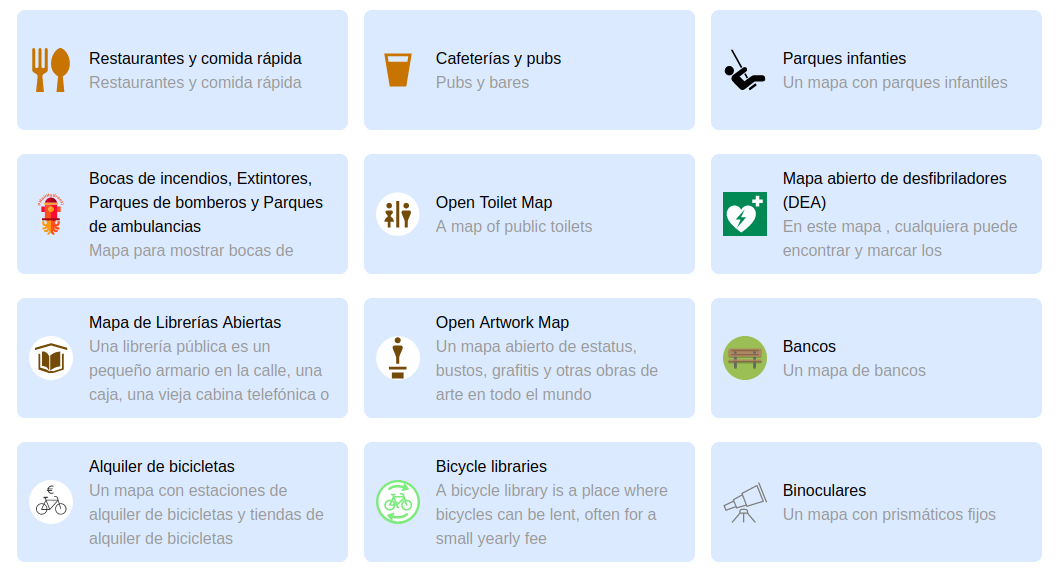
It shows map features on a certain topic, and allows to see, edit and add new features to the map. It can be seen as a webversion crossover of StreetComplete and MapContrib. It tries to be just as easy to use as StreetComplete, but it allows to focus on one single theme per instance (e.g. nature, bicycle infrastructure, …)
The design goals of MapComplete are to be:
- Easy to use, both on web and on mobile
- Easy to deploy (by not having a backend)
- Easy to set up a custom theme
- Easy to fall down the rabbit hole of OSM
The basic functionality is to download some map features from Overpass and then ask certain questions. An answer is sent back to directly to OpenStreetMap.
Furthermore, it shows images present in the image tag or, if a wikidata or wikimedia_commons-tag is present, it follows those to get these images too.
An explicit non-goal of MapComplete is to modify geometries of ways, especially generic geometry-editing. (Splitting roads is possible and in some restricted themes is geometry-conflation possible too)
More about MapComplete: Watch Pieter’s talk on the 2021 State Of The Map Conference (YouTube) about the history, vision and future of MapComplete.
Creating your own theme
It is possible to quickly make and distribute your own theme
Examples
- An overview of all official themes.
- Buurtnatuur.be, developed for the Belgian Green party. They also funded the initial development!
- Cyclofix, further development on Open Summer of Code funded by Brussels Mobility. Landing page at https://cyclofix.osm.be/
- Bookcases cause I like to collect them.
- Map of Maps, after a tweet
There are plenty more. Discover them in the app.
Statistics
To see statistics, consult OsmCha or the analytics page
User journey
MapComplete is set up to lure people into OpenStreetMap and to teach them while they are on the go, step by step.
A typical user journey would be:
-
Oh, this is a cool map of my specific interest! There is a lot of data already…
- The user might discover the explanation about OSM in the second tab
- The user might share the map and/or embed it in the third tab
- The user might discover the other themes in the last tab
-
The user clicks that big tempting button 'login’ in order to answer questions – there’s enough of these login buttons… The user creates an account.
-
The user answers a question! Hooray! The user transformed into a contributor now.
- When at least one question is answered (aka: having one changeset on OSM), adding a new point is unlocked
-
The user adds a new POI somewhere
- Note that all messages must be read before being able to add a point.
- In other words, sending a message to a misbehaving MapComplete user acts as having a zero-day-block. This is added deliberately to make sure new users have to read feedback from the community.
-
At 50 changesets, the personal layout is advertised. The personal theme is a theme where contributors can pick layers from all the official themes. Note that the personal theme is always available.
-
At 200 changesets, the tags become visible when answering questions and when adding a new point from a preset. This is to give more control to power users and to teach new users the tagging scheme
-
At 250 changesets, the tags get linked to the wiki
-
At 500 changesets, I expect contributors to be power users and to be comfortable with tagging scheme and such. The custom theme generator is unlocked.
License
GPLv3.0 + recommended pingback.
I love it to see where the project ends up. You are free to reuse the software (under GPL) but, when you have made your own change and are using it, I would like to know about it. Drop me a line, give a pingback in the issues, …
Dev
To develop or deploy a version of MapComplete, have a look to the guide.
Translating MapComplete
The core strings and builtin themes of MapComplete are translated on Hosted Weblate. You can easily make an account and start translating in their web-environment – no installation required.
You can even jump to the right translation string directly from MapComplete:
Architecture
High-level overview
The website is purely static. This means that there is no database here, nor one is needed as all the data is kept in OpenStreetMap, Wikimedia (for images), Imgur. Settings are saved in the preferences-space of the OSM-website, amended by some local-storage if the user is not logged-in.
When viewing, the data is loaded from overpass. The data is then converted (in the browser) to geojson, which is rendered by Leaflet.
When a map feature is clicked, a popup shows the information, images and questions that are relevant for that object. The answers given by the user are sent (after a few seconds) to OpenStreetMap directly – if the user is logged in. If not logged in, the user is prompted to do so.
The UI-event-source is a class where the entire system is built upon, it acts as an observable object: another object can register for changes to update when needed.
Searching images
Images are fetched from:
- The OSM image, image:0, image:1, … tags
- The OSM wikimedia_commons tags
- If wikidata is present, the wikidata P18 (image) claim and, if a commons link is present, the commons images
Uploading images
Images are uploaded to Imgur, as their API was way easier to handle. The URL is written into the changes.
The idea is that once in a while, the images are transferred to wikipedia or that we hook up wikimedia directly (but I need some help in getting their API working).
Uploading changes
In order to avoid lots of small changesets, a changeset is opened and kept open. The changeset number is saved into the users preferences on OSM.
Whenever a change is made -even adding a single tag – the change is uploaded into this changeset. If that fails, the changeset is probably closed and we open a new changeset.
Note that changesets are closed automatically after one hour of inactivity, so we don’t have to worry about closing them.
Documentation
All documentation can be found in here
Privacy
Privacy is important, we try to leak as little information as possible. All major personal information is handled by OSM. Geolocation is available on mobile only through the device’s GPS location (so no geolocation is sent of to Google).
TODO: erase cookies of third party websites and API’s
Attribution and Copyright
The code is available under GPL; all map data comes from OpenStreetMap (both foreground and background maps).
Background layer selection: curated by https://github.com/osmlab/editor-layer-index
Icons are attributed in various 'license_info.json’-files and can be found in the app.