
Original post published here
Updated: 26 March 2020
digitalprotection frontlinedefenders [ punto ] org (Let us know of your protection ideas or suggestions) based on your experience that may benefit other HRDs or HROs at risk, we will develop this guide further.
PDF version of this article available soon in Arabic, French, English, Russian, Spanish.
A global pandemic is a new situation for all of us. Most of us already are or soon may be forced to start working remotely. Many will use their home as an office. In some places, there is no doubt this crisis will be abused to further repress human rights defenders (HRDs) and human rights organisations (HROs) like many other crisis situations have been used in the past. Physical and emotional environments are also very different for each of us.
However, Front Line Defenders has experience advising HRDs working remotely and part of its own team has been working remotely – and securely – for years. Below is some of our thinking and learning around the challenges of this modality of work. It is hard to put down one size fits all solutions, especially for physical and emotional protection. This is offered as inspiration to evaluate and improve protection of your particular situation. And if you are a HRD or HRO at risk in your country, you may always reach out to Front Line Defenders for help – the organisation is at work and fully operational during this time.
We encourage you to communicate clearly and promptly with your donors and partners regarding your particular situation. Donors in the human rights space are highly sensitive to the difficulties this crisis is posing to its partners and grantees, even as they face a variety of unprecedented challenges. We believe it makes situation much more manageable if they know what is possible and impossible at this moment for you and your organisation regarding your work or cooperation with them. They also may be able to help you with your specific needs right now, things like portable equipment to work from home or additional at-home security measures.
Physical protection
Consider which place or room is best to be working on sensitive issues. Is, for example, a basement a best option? How easy is it to get to your work space from entry doors to your apartment or house? Can people see your computer screen or desk/papers from the outside? Do you want/can you avoid house-mates see you working? Or overhear sensitive conversations on the phone or over the internet. You can try to talk quietly if neighbours can overhear conversations, close windows when you talk, or use veiled/coded language.
Try not to leave your work around the house (leaving USBs & documents around). Stay organised and protect sensitive information. Think about getting locks on drawers, or lockable cabinets etc. Consider locating some good hiding places (or some kind of safety box) for your valuable information if you need to quickly hide them. Be creative eg. taking out a brick or tile in the floor or wall, in the rooftop, under a floorboard, taped inside a shower drain, etc.
At the end of each day, put everything away in a safe space including documents, computers and phones. Keep a clean desk policy. Turn off computers, don’t just put them to sleep or leave them on.
Have a system for destroying sensitive information and files. This could be shredding it, tearing into small pieces, burning it, etc.
Consider using a simple surveillance system of the space at times when you are not there. This could be simple traps to detect if someone has entered has the house or room, or opened a drawer. Alternatively, there are digital solutions such as mobile phone applications such as Haven app which you could use with an old Android phone to monitor you work space.
Make sure you have a good ergonomic set up of your work station. Reduce tripping hazards. Have first aid kits and sufficient medications. Have enough water for 4 days, and some hibernation kits.
If you share accommodation with others (family, friends, room-mates), have a meeting to make sure everyone is aware of the security rules you want to apply ( i.e. don’t open the door without first checking who it is, don’t touch the laptop, etc.) It is good to have a security check-in meeting with them everyday to see how situation is changing and if they notice anything new or out of place.
Prepare emergency numbers and have them handy such as written/printed and stuck up on the wall, saved in your phone, and kept in your wallet. Consider having a household communication plan in case you need support. This means calling one or two people, and then they themselves know who to call and what to do to give you support.
Have an evacuation plan prepared, with different exits and an outside meeting point. It is recommended that you practice it. Sometimes simply placing a ladder near a fence can make a big security improvement in your home. Some people also have a pre-packed bag that they keep next to the exits, that contains copies of sensitive documents, some cash, phone charger, torch/flashlight, medication and other items you would want to have with you.
If you are considering having in-person meetings in your home, be aware of the restrictions in place and comply with health advisories. Prepare a cover story with your visitors, including who are they and why are they visiting you, in case your neighbours or somebody else asks. Also, it can be a good idea for visitors not to tell taxis (including ride-hailing apps) your exact address, but somewhere close like a well-known place of worship, park, shop, etc. If they come in their own vehicle, it is better that they not park out the front of your house – they can park further down the street so they are not immediately connected with you. Make sure you give very clear instructions so visitors do not have to ask anybody how to find you.
Always consider safety risks like fire in homes. You might be cooking more indoors, using more electricity outlets, smoking indoors, children might be more housebound, and your neighbours will also be home, increasing the risk of them starting a fire. Have a fire plan. Consider things like woollen blankets as fire blankets, smoke detectors if possible, manage your electricity usage and try to use surge protectors, reduce fuel load, etc.
Consider having a personal alarm with you in the home and when you leave to attract attention if you need, this could be something like a whistle.
Keep your doors locked, with the key in the lock on the inside of the door - unless someone on the outside can reach through to open it. In this case, keep the key in a set location, away from the door (and out of sight) ready in case it is needed in an emergency. Consider what is a pattern of criminal attacks in your area. Rates of home burglaries generally fall when more people are at home, but other crime (against offices or shops) may increase. Protect (or take with you) the valuable information from your office before leaving. Consider how your adversaries will try to benefit from you working from home and then mitigate that.
Avoid regular routines especially in leaving and travelling around. When leaving your home to go shopping, consider the risks of leaving your devices in the home vs taking the devices with you. If you leave home, switch off devices and hide them. When leaving, ensure that someone knows where you are going, how you will get there (the route), what time you are expected to return, how to contact you if there is any reason, etc. You may also use things like live location sharing, check-in procedures («I’ve arrived», «I’m leaving now», «should be there in 20 minutes», etc.)
Be discreet and avoid being targeted by police or security forces by violating any legal local rules.
It is easier said than done but try to plan for economic security or sustainability, this situation could go on for longer than currently envisaged. If possible discuss this with donors or supporters. Try to identify an emergency fund you can establish or have access to – perhaps in cooperation with others. Connect online with your local communities to see what are possible self-organizing strategies for mutual support.
Emotional protection
It is important to recognise, individually and with people you work with, that this situation has a big emotional impact. Levels of productivity won’t be the same, and each person will have to adapt to the new context at their own pace. Everyone will also feel an impact of reduced in-person interactions and not having colleagues available to talk to as much as you perhaps used to.
If possible, have someone to talk to about your current state of being, to share some of your current thoughts and emotions, that person can be anyone from your community with whom you have mutual trust and a positive connection. Have in mind, that this situation can be different from casual one and you may have different feelings, emotions, and thoughts coming up. Your needs and your reactions to casual things can be changed in the current situation. Try to create some opportunities for yourself to take a step back and pause, when needed. Try to be a little bit more patient and caring to yourself.
If you have work and caregiver responsibilities, try to organize your day so that you do not overwork in one direction or another. You may want to have some plan in your head on how to deal with the situation, yet expect the unexpected. There may be situations, where you will have to shorten your working day or responsibilities, to be able to take care of other responsibilities. You may have difficult feelings connected with these challenges. Try to take some moments of silence to come up to acceptance and to possible solutions. Try to be creative and forgiving to yourself, for not managing everything. Most probably it is not about you, but the overload of the responsibilities. Make yourself ready to give up or postpone some of the work-related or household responsibilities.
Make sure you eat healthy (including snacks!) at the right time for you, sleep enough hours and at the right time for you, exercise daily enough for you. Consider that working from home and being cut-off from the world may be for longer than initially expected.
Set a clear time schedule of your work day and stick to it as much as you can. Try to avoid mixing work activities with personal activities. Treat work time as if you are in the office. And personal time as you would be away from the office. It will help you set clear boundaries. Shut down your laptop at the time when you finish working, or at least close email programs/accounts, messaging programs, etc.
If you can, organise a separate place at home which will be your work space and do not work all over the house. This will create a functional place where you feel at work. This will ensure your work does not invade your private space and vice-versa. This may also be a clear signal to others with whom you share your house that when you are siting at «the work place» you are «at work» and you need not to be distracted. Try to never work at places where you rest or eat!
If you are not under a quarantine, go outside each day for a walk, run, bike ride, etc. You can do it at any time. But it is best to have a routine, (eg. walk after lunch, run in the morning before you start working, etc.)
At least once an hour stand up, stretch, walk around your place, close your eyes few times.
Consider how the level of noise, music, radio going on at your place in the background is helping or causing additional stress or tiredness? Make appropriate adjustments to your needs (which may change daily!)
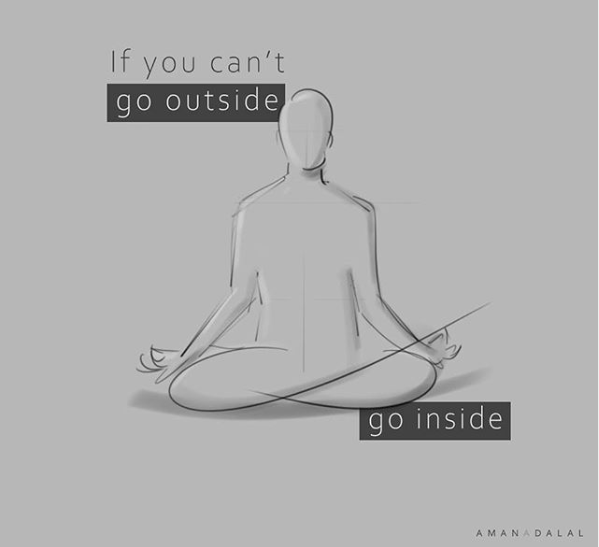
To manage anxiety, reduce exposure to COVID19 news by setting a specific time and duration in the day to get information. Try not read news in the evening when you are preparing your body and mind for sleep. If levels of anxiety rise up, consider practising and/or helping housemates to practice stress management techniques - meditation, yoga, or praying may help as well.
If there are other people living in the house, make sure to have moments of silenceto recharge or relax, even if the only option is being locked in the toilet.
Many local networks are putting together information on well-being during the pandemic, as well as online yoga, dancing, exercising sessions and webinars to help go through this difficult times. Reach out to them!
Digital protection
Be aware of increased attempts to use the current situation to trick you (social engineer you) into giving access to your accounts, infecting your devices, providing passwords, etc. through sending you fake links, malicious documents, phishing messages and emails, etc. Be extra vigilant.
If the situation in your location requires you to stay at home, you might want to use online food delivery. Be aware that some of them require you to use apps that read your GPS location. If this is a risk in your situation, plan carefully or see if there are other options or call food service providers rather than using an app.
Protect your wifi network: consider using a name for your wifi network that does not flag that it is your wifi or consider hiding the name. Set the wifi network access password so you need to provide the password to connect to it. Make this password strong. Change it from time to time. Change the default administrator password of your wifi router and disable logins from outside of your network. You can make all those changes if you log in to your wifi router and search for your router manual online to learn how.
Make sure your devices have basic hygiene (both computers and phones): this is especially important when you start using your private devices for work. It is good that you review the hygiene of the device before you start working on it. Consider things like:
- are you running latest operating system version (on all computers and phones you have)
- removing all unneeded/unused programs (in particular Flash and Java)
- updating and upgrading operating systems, all programs and all apps so only running latest versions
- proper operating system setup – this will depend on which OS is being used (see links on the bottom with some instructions for specific systems), but this includes among others:
- full disk encryption (MS Windows: BitLocker or VeraCrypt if you do not have BitLocker, Mac OS: FileVault, Linux: LUKS, Android: Go to Settings > Security > Encrypt, iOS devices are encrypted once you set password/pin)
- have a strong passwords or long PIN for login to the device
- switch on your operating system firewall and review its settings (Windows, Mac)
- use antivirus protection (Windows: Microsoft Security Essentials, also and for other operating systems consider using Malwarebytes). You can use VirusTotal.com to scan links before opening them.
Use safe and updated browsers. Front Line Defenders recommends Firefox (or Chrome or Chromium) with proper setup and add-once/extensions: uBlock Origin, HTTPS Everywhere, Privacy Badger, Cookie AutoDelete, Facebook Container, consider using NoScript. All those extensions are also available for Chrome/Chromium on web store.
Use password manager like KeePassXC to keep your passwords safe offline (if you need to use online password manager consider Bitwarden but make sure you set up 2-factor authentication to log in to your collection of passwords and note that there are new risks introduced by storing passwords online).
If you need word processing, spreadsheets and other office suite programsconsider using LibreOffice.
Consider if you need to use a VPN or a proxy to protect your work related Internet activity from your home Internet Service Provider. If you do not want your ISP knowing which servers you communicate with, you may buy VPN access or use one of the free options:
- Some free options: Psiphon, RiseUp VPN, Proton VPN, TunnelBear (limited to 500MB), Hideme (limited to 10GB), Hoxx, Speedify (limited to 2GB), Lantern(limited to 500MB), HolaVPN, Intra, Windscribe, SecurityKiss (limited to 9GB), Calyx VPN, 1.1.1.1 & Warp
- Some paid options: Express VPN, Mullvad, Tor Guard, Private Internet Access, Private VPN, ibVPN
Working from home means that you will be saving work related (sometimes sensitive) information on your devices. Carefully make a decision which devices you will be using for storing work information. Ask questions like:
Should I use mobile phone for work? Do I need a separate phone?
Do I need a separate laptop?
Who has access to devices I decided to use for work apart from me?
How can I separate private and work information? Shall I create a separate user account on a computer for work related activities and separate for personal activities?
Plan how long you will store the sensitive information on your home devices. How will you remove it securely.
You may want to use secure end-to-end encrypted cloud storage to share files with people or maybe backup some information. You can benefit from those recommendations:
- Sync.com (up to 5GB free, end-to-end encrypted file cloud)
- Mega.nz (up to 15GB free, end-to-end encrypted file cloud)
- if you using not end-to-end encrypted file cloud consider using Cryptomator to independently encrypt files before storing them online
- share.riseup.net can help you send up to 50MB with end-to-end encryption. It will auto-delete your files after 12 hours.
- send.firefox.com can help you send up to 1GB with end-to-end encryption. It will auto-delete your files after one day or one download. You can add password to additionally protect your information. It is best to share this password by a separate means then a link, eg. you send link by email and password by Signal.
- send.tresorit.com can help you send up to 5GB with end-to-end encryption. It will auto-delete your information after 7 days or 10 downloads.
- OnionShare.org can help you securely and anonymously share files of any size directly from your computer using Tor Network.
It is important to regularly backup your devices (it is recommended to do it once a week or after intensive work). You can use programs available in your system (like operating system backup option or use FreeFileSync on Windows, TimeMachine on Mac, Déjà Dup on Ubuntu). Front Line Defenders recommends backing up to local external disk and hiding this disk. Another option is to use secure end-to-end encrypted cloud storage, but this introduce new risks. You should also backup your phones, we recommend backing up to a local computer rather than cloud services.
Working remotely, you will most likely be in need of co-working on documents and spreadsheets with other people. You may decide to consecutively edit document on local computer and exchange it over secure email or secure text messaging channels mentioned below. Or you may want to edit simultaneously with others same document using simply your browser on services like:
- CryptPad - end-to-end encrypted service for editing documents and spreadsheets or organising polls, etc. You can store up to 1GB information for free. You can register for free to have your documents store permanently (without registration documents are deleted after 3 months of inactivity).
- Riseup Pads - simple documents co-editing. You can set that your document will be deleted after 1 day, 60 days or 1 year. It is using EtherPad software.
Note that both of above services allow everybody who knows the link to your document access and edit it! It is important to guard the link.
There are also commercial solutions similar to above like Google Docs or Microsoft Office 365.
Working remotely, you will certainly what to securely communicate with others. Please note that all regular mobile phone calls and SMS are not secure and your mobile phone company has full access to them. Instead of using those we recommend using one of blow end-to-end encrypted free options:
- Signal: one-on-one text and voice communication and group text communication. We recommend switching on: Settings > Privacy > Screen lock, Screen security, and Registration lock. Also we recommend that you set Disappearing Messages for each conversation you have.
- Wire: one-on-one or small groups text and voice communication. You can use email to register as well as phone number. Just consider that it is a company
- Delta Chat: one-on-one and groups text communication. It is well resistant against blocking it as it works over email, so registration with existing email address is required.
When you communicate in groups, always check the identities of all people participating by asking them to speak. Do not assume you know who is connected only by reading assigned names. Note that none of the options listed below are end-to-end encrypted. The encryption goes to the server and from the server, so the server has access to all communication.
Free options:
Paid options – keeping in mind the politics, security and challenges of supporting big US corporations:
- GoToMeeting.com
- BlueJeans.com
- Meet.Google.com / hangouts meet
- Microsoft Teams
- we do not recommend Zoom.com as it has came under concerns recently for their poor security practices and lack of transparency
If you would like to organise a webinar or online training, you can use tools outlined above in the group communication. Some of best practices include:
- make sure that you know who is connected (if this is needed)
- agree on ground-rules, like keeping cameras on/off, keeping microphone on/off when one does not speak, flagging when participants would like to speak, who will be chairing the meeting, who will be taking notes – where and how will those notes be written and then distributed, etc.
- agree on clear agendas and time schedules. If your webinar is longer than one hour, it is probably best to divide it into clear one-hour sessions separated by some time agreed with participants, so they have time to relax and do other things needed. Do plan for the eventuality that not all participants will return after a break. Maybe have alternative methods to reach back to them to make sure they are coming back, like Signal/Wire/DeltaChat contacts for them.
- it is of course easiest to use a meeting service that participants connect to using a browser without a need to register or install a special program, one that also gives webirar organiser ability to mute microphones and close cameras of participants.
You will most likely want to keep using your regular email. Do observe normal security best practices, like having good password, switching 2-factor authentication, reviewing settings of your email account including are your email not being forwarded to other addresses, what are devices connecting to your email, what is activity on your email account – when account was logged in, etc. – all this depending on availability on your email account. However, in case you need a new secure email address, FLD recommends using:
- Protonmail - additionally set two-factor authentication (go to Settings > Security and enable two-factor authentication. Youâd need to install application andOTP, Duo Mobile or Authy on your phone to complete this step and scan the code on the computer screen with this app).
- Tutanota - additionally setup two-factor authentication (go to Settings > Login > Second factor authentication)
Be aware that only emails between accounts on the same service – Tutanota or Protonmail – are end-to-end encrypted. Emails that are sent outside are not (usually).
If you need a shared calendar and you do not want to use a big corporation for this, see:
for questionnaires see:
- https://framaforms.org
- https://www.jotform.com
- https://tutanota.com/es/secure-connect (paid 50% discount for NGOs)
We would recommend to be cautious managing sensitive information with online services.
Health tracking devices/apps: Some governments have imposed requirements for incoming visitors to download an app and provide one’s mobile phone number so they could track you for public health reasons. These requirements may last longer than necessary. Check with airlines, ministries of foreign affairs or embassies of your destination country, IATA and other authoritative websites before making a decision to travel. If you can, consider running those type of app in a Shelter app profile.
Other guides:
- How journalists can work from home securely - Freedom of the Press Foundation
- Digital Resilience in the Time of Coronavirus - Equality Labs
- How to Work From Home Without Losing Your Mind – Wired.com
- Remote Work and Personal Safety - Tor Project
- How to improve your digital safety while working remotely - SMEX
- GitLab’s Guide to All-Remote - GitLab
- Community Resources for COVID19 - Internet Freedom Festival
General digital protection guides:
- Security in-a-Box - Front Line Defenders and Tactical Technology Collective
- Surveillance Self-Defense - Electronic Frontier Foundation
- Digital First Aid Kit - Digital Defenders Partnership
- Security Planner - Citizen Lab
- Hygiene in Digital Public Square
- The Motherboard Guide to Not Getting Hacked